You can now post blog articles from LINE!
Fun fact: this post was actually sent from LINE!
I sent the text and photos from LINE on my phone, and it went live just like that.
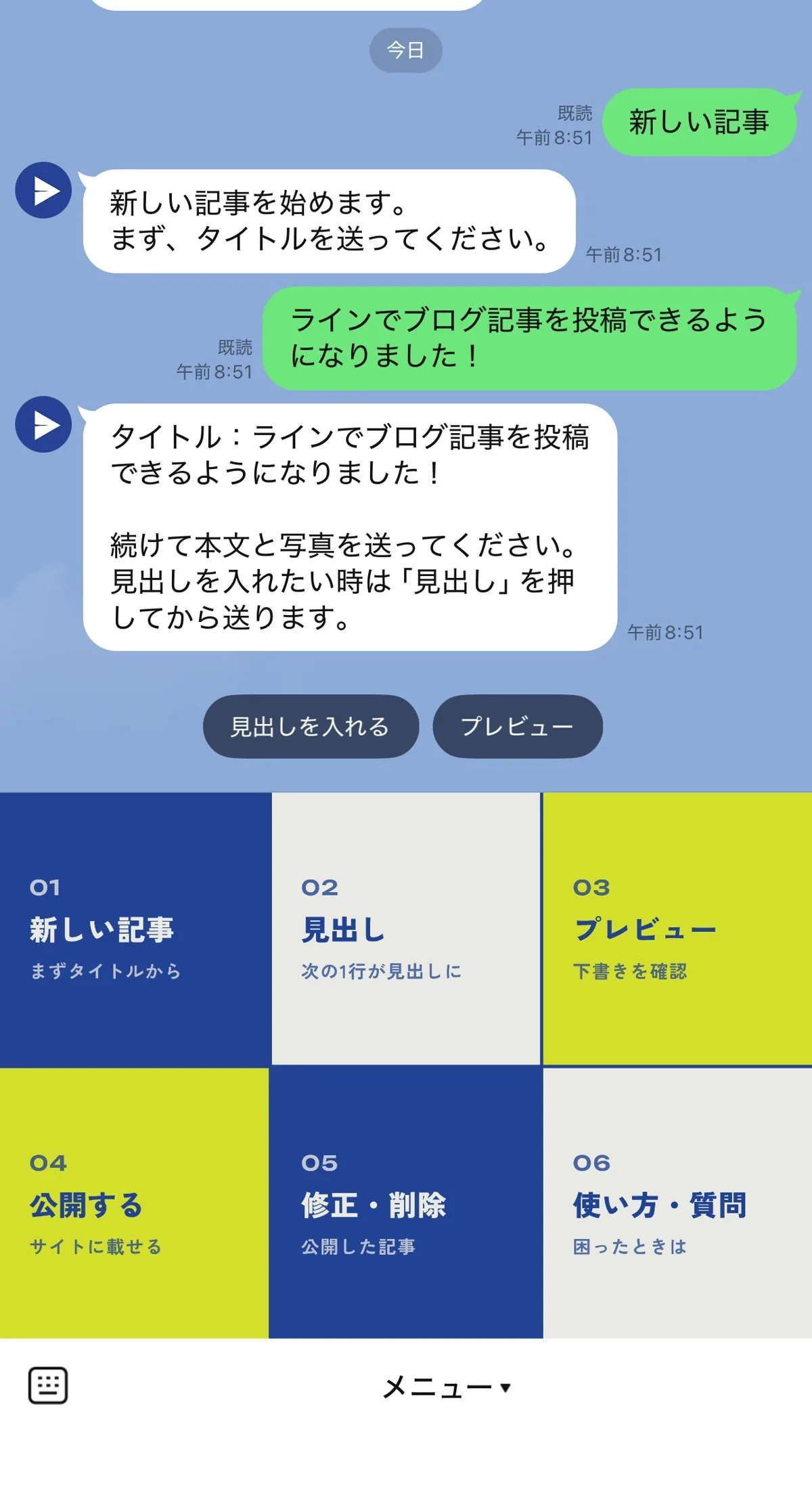
I built a system where you can send photos straight from your phone like this and post a blog article as easily as sending a chat message, and I've set it up on the Tenth Of October site too!
Whatever you send gets an AI spelling and typo check, and if you tap Preview, you can see exactly how the article will look.
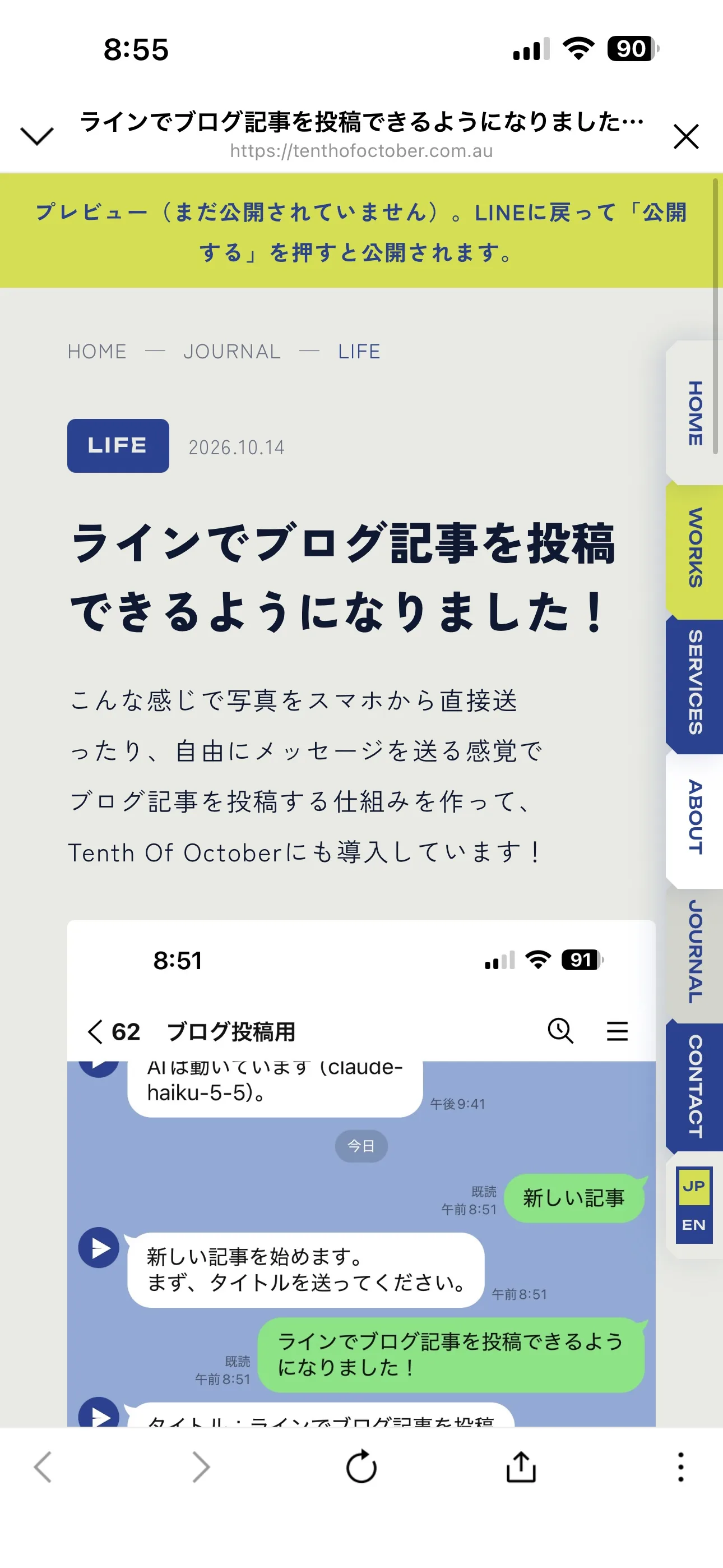
Once your article is ready, you just choose a category tag and tap Publish, and it goes straight up on your blog!
Why did I build a way to post from LINE?
To be honest, I know how important it is to grow traffic to a website and to share my design process. But between parenting and client work, I rarely get the time to sit down quietly at the computer and write, so my own blog often ends up stalling 😭
Until now I've mostly built websites on WordPress, and I often heard things like this from clients.
So when I renewed my own website, I took the plunge and built the system in! Using it myself, the big win is being able to write casually in little moments, like in the car while waiting to pick up the kids, or while getting them to sleep 😭
That's when I decided I had to offer this for client work too, and built it into the system ✨
That said, I'm not a developer or a coder, so AI did a lot of the heavy lifting here!
You can add bold text and speech bubbles from LINE, too
Just add a few simple marks when you send, and they show up in the article like this.
- Words wrapped in heavy square brackets turn bold
- Send a name and a quoted line together on one line, and it becomes a speech bubble like the ones above
- Lines placed between arrows, or lines that start with a dot, become a bullet list
- Write the "button:" keyword followed by a label and a URL, and it becomes a link button
The bold text, speech bubbles and the buttons at the very bottom of this article were all added from LINE.
What happens to my current site if I switch?
In most cases, we can rebuild your website while carrying over your existing WordPress content and URLs, so your Google search results and any links shared on social media keep working.
One thing to note: your search rankings can dip for a few weeks right after the move. That's because Google needs to re-read your new site, and things settle back to normal within a few weeks.
Because of how the updates work, posting via LINE can only be set up on servers managed by Tenth Of October, so it's available for sites I build. Also, whenever LINE or the AI running behind the scenes changes how it works, fixes are required. To avoid problems, this service is only for clients on a site management retainer (with a monthly management fee).
There's no charge for posting via LINE itself, so the price stays the same however many articles you post.
What is a web retainer?
For a monthly fee, I look after your website and make adjustments as needed.
What's included (A$150 per month)
- Server management: renewals, SSL (https) and server fees
- Blog updates via LINE: unlimited posts, AI typo check included
- Small edits: swapping text or photos, changing opening hours or menu prices, and so on
- Maintenance: checking the site displays correctly, and keeping up with changes to LINE or the AI
- Backups: storing your site data and restoring it if something goes wrong
Not included (charged separately)
- Domain fees (your domain is also an asset of your shop or business. And a .com.au address must be registered in the name of an Australian business (with an ABN or similar), so I ask you to hold it in your own business's name. I'm happy to help you get it set up.)
- Adding new pages
- Major design changes, or separate projects such as logos and flyers
- Writing articles for you, or photography
- Running ads
Feel free to get in touch
"Could this work on my site?" "Can I move over from my current site?" Ask me anything at all. Just send a message through the contact form, in English or Japanese.


 LINE
LINE