HOME / JOURNAL / JAPANESE FONTS
TIPS 2026.10.25 ・ Fonts ・ Branding

Japanese Fonts
a Japanese Graphic
Designer Uses

After about ten years as a graphic designer, these are the Japanese fonts I actually use: free ones from Google Fonts and Canva, how I choose on Adobe Fonts, and the professional favourites, Morisawa and Fontworks. I also cover what to watch for when you use them in logos and on websites.

Japanese Fonts a Japanese Graphic Designer Uses, Tenth Of October
Japanese fonts Google Fonts Canva Adobe Fonts Morisawa Branding
01 ・ INTRO

A very personal list, full of my own taste.

A quick note before we start: this is a very personal list, full of my own taste and bias. It is not a rule for what every graphic designer should use. It is simply how I choose and use Japanese fonts after about ten years of working as a graphic designer.

Whether you run a Japanese restaurant, sell products to Japanese customers, or simply want a few words of Japanese on your menu or website, I hope it helps you choose fonts that look natural to Japanese readers.

02 ・ BASICS

Japanese text is made of very different shapes.

Japanese mixes three scripts: hiragana, katakana and kanji. We also switch between full-width and half-width numbers and letters. Placed in the same square, hiragana and katakana leave a lot of space around them, while kanji look dense. Set them side by side without care and the line feels off.

Japanese readers grow up seeing these shapes, so even a small imbalance reads as "not quite right". People who do not read Japanese may never notice, but Japanese readers do.

Use a Japanese font for Japanese text

Most English fonts do not contain Japanese characters at all. If you type Japanese while an English font is selected, your computer or browser quietly fills in the missing characters with another font. That is why the weight suddenly changes mid-sentence, or kanji appear in their Chinese forms, which look unfamiliar to Japanese readers.

So the first rule is simple: choose a Japanese font for Japanese text.

03 ・ FREE

Free: Google Fonts.

Simple, but beautiful Japanese fonts. They are free to use on websites too, so they are a good place to start when you build a site.

Gothic (sans serif)
Gothic (sans serif). The Japanese font on this website
Antique, a classic Japanese style that mixes mincho-like kanji with bold kana
Mincho (serif)
Mincho (serif)
04 ・ CANVA

Easy Japanese fonts on Canva.

These are the Japanese fonts I use most when making menus and social media graphics on Canva. Some names are shown as they appear in Canva's Japanese interface.

Zen Kaku Gothic New Gothic (sans serif)
Zen Maru Gothic Rounded gothic
ヒカリ角ゴ (Hikari Kakugo) Gothic (sans serif)
DNP 秀英角ゴシック銀 Std Gothic (sans serif)
筑紫Aオールド明朝 (Tsukushi A Old Mincho) Mincho (serif)
Dela Gothic One Heavy, for bold headlines

As a Canva template creator, I always design with both free-plan users and Canva Pro users in mind, because the fonts available to them differ. The same goes for the menu templates I make for clients. If you are on the free plan, check that a font is available to you before you start.

A note: fonts on Canva can disappear later.
The fonts available on Canva can change. A font you use today may be gone from the list one day, so take care when using Canva fonts for logos or shop signs you will use for years. Always export important designs as PDF or image files as well.
05 ・ ADOBE

On Adobe Fonts, check the kanji first.

On Adobe Fonts, set the language filter to Japanese to see Japanese fonts.

The key thing to check is whether the font covers kanji. There are lots of fun fonts, including some from independent creators. But some have no kanji at all, and others cover common kanji but not less common ones, which makes them unsuitable for shop signs or body text.

Compared with Morisawa and Fontworks, which I introduce next, many of them also need fine adjustment to spacing and balance when you set a line of text.

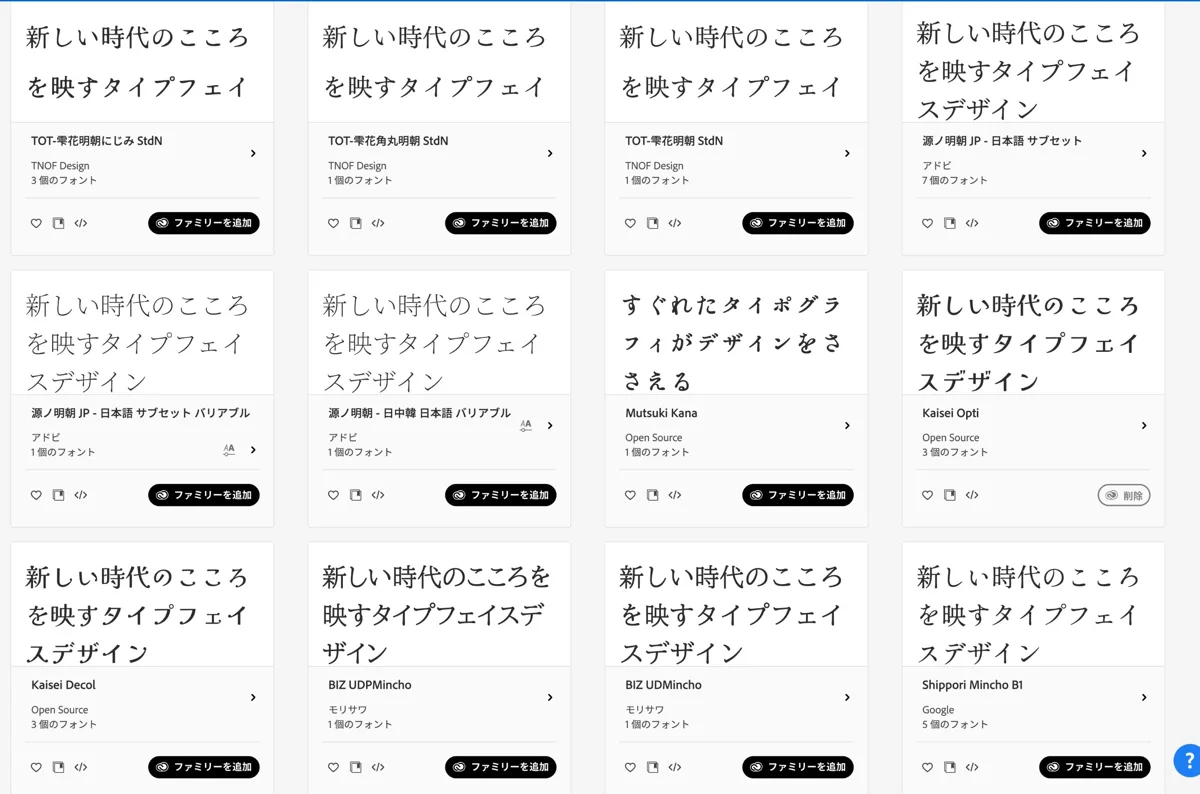
Adobe Fonts filtered to Japanese fonts, showing the provider under each font name
Adobe Fonts filtered to Japanese. The provider (Adobe, TNOF Design, Skill Informations, Morisawa and so on) is shown under each font name.

I look at the provider shown under each font name, and choose fonts from Adobe, Google, Morisawa or companies that specialise in type design (for example Adobe's Source Han Serif (源ノ明朝) and Momochidori (百千鳥), TNOF Design's TOT-Shizukuka (TOT-雫花), and the Sic series from Skill Informations). In my experience, many fonts by individual creators do not fully cover kanji.

Playful fonts are fun to browse and great as an accent. Just remember they may need kanji checks and fine adjustment.

06 ・ PRO

The professionals' choice.

Morisawa (Morisawa Fonts)

The fonts Japanese graphic designers trust most. It is an annual subscription; in Japan, one licence costs a little over 60,000 yen a year including tax (as of October 2026). Unless you use fonts heavily for work, you probably do not need it.

But from gothic and mincho to delicate brush styles, every font is beautiful, and the balance between hiragana, katakana, kanji and numbers is outstanding.

If you want to try Morisawa quality for free, the BIZ UD fonts are available on Google Fonts (BIZ UDPGothic, BIZ UDPMincho).

Fontworks

The other one I use is Fontworks. I love the Tsukushi (筑紫) mincho family, so I subscribe to it as well (Fontworks LETS, 49,500 yen a year including tax in Japan, as of October 2026). Many of its fonts are based on historical books or kabuki theatre signboards, or take inspiration from them with a modern expression. They are a lot of fun.

07 ・ USE

The right font depends on where it will be used.

In real projects, the choice changes for print, logos, logos you plan to register as a trademark, websites, and original brand fonts.

If I create an original wordmark for a logo, do we go further and develop a full font from it for body text? Do we set brand fonts instead? How do we split headings and body text? I think about all of this when choosing fonts.

Print

For flyers and menus, sending a PDF or image file is fine even if the person receiving it has no font licence. On Adobe Fonts, however, you may not package the font files to send to printers or others. Anyone who edits the file needs their own licence.

Logos

Google Fonts, Adobe Fonts and Canva fonts can all be used in logos. But Adobe Fonts and Canva fonts can be removed later. Adobe gives at least 30 days notice, and PDFs, images and text converted to outlines (shapes) keep working, but editable files switch to a default font. Keep your logo with the text outlined.

Registering a logo as a trademark

You can register your logo, but the typeface design itself does not become yours (Adobe states this in its licensing FAQ).

Canva says a logo made only with Canva fonts and simple lines and shapes can be trademarked, but a logo that uses Canva's graphics, illustrations or photos cannot.

Morisawa's licence (Desktop Fonts EULA, Article 10) allows trademark registration of logos made with its fonts, except for fonts Morisawa specifically excludes. You gain no rights to the typeface itself. For other paid fonts such as Fontworks, always check the licence for logo and trademark use.

A logo that is just typed text also tends to look like other businesses. If you are thinking about a trademark, an original wordmark is the safer path. For the legal side, ask a trademark attorney.

Websites

Google Fonts are free on websites. Adobe Fonts are delivered through Adobe web projects, linked to the subscriber's account.

Using Morisawa fonts on a website needs a separate web font contract, such as TypeSquare (the free plan covers 1 font, 1 domain and up to 10,000 page views a month). Morisawa web fonts are delivered through code issued by Morisawa; you cannot host the font files on your own server. When the contract ends, the fonts stop working and the site falls back to another font.

Working with others needs extra care. With Morisawa, anyone editing your design files (in Illustrator, for example) needs their own licence for the same font. For web fonts, on the other hand, the licence holder may share the issued code with the developers they hire or the client's staff. Even within one company, the rules differ between desktop and web. Depending on the licence or the cost, I sometimes switch to a similar Google Font.

Original brand fonts

A Japanese font needs thousands of kanji as well as hiragana and katakana, so creating an original font that works for body text is a big project.

Fonts really are case by case. Even after ten years as a graphic designer, I am still learning.

Read the licence for any font you subscribe to.
Four things matter most: whether you can use it in logos and trademarks, whether you can use it on websites, what others need when you share files, and what happens when the subscription ends. Rules differ between font companies and services, and they can change. The licensing details and prices in this article are based on each company's official information as of October 2026 (Morisawa's licences updated 26 May 2026). Always check the latest information before you use a font.
08 ・ BRAND

Fonts shape how people see your brand.

When building a brand's elements, including fonts, the logo and colours, we decide to a certain extent which fonts to use and what personality the brand should have.

To exaggerate a little: if a delicate, refined brand suddenly uses a heavy bold font, people think "wait, what?"

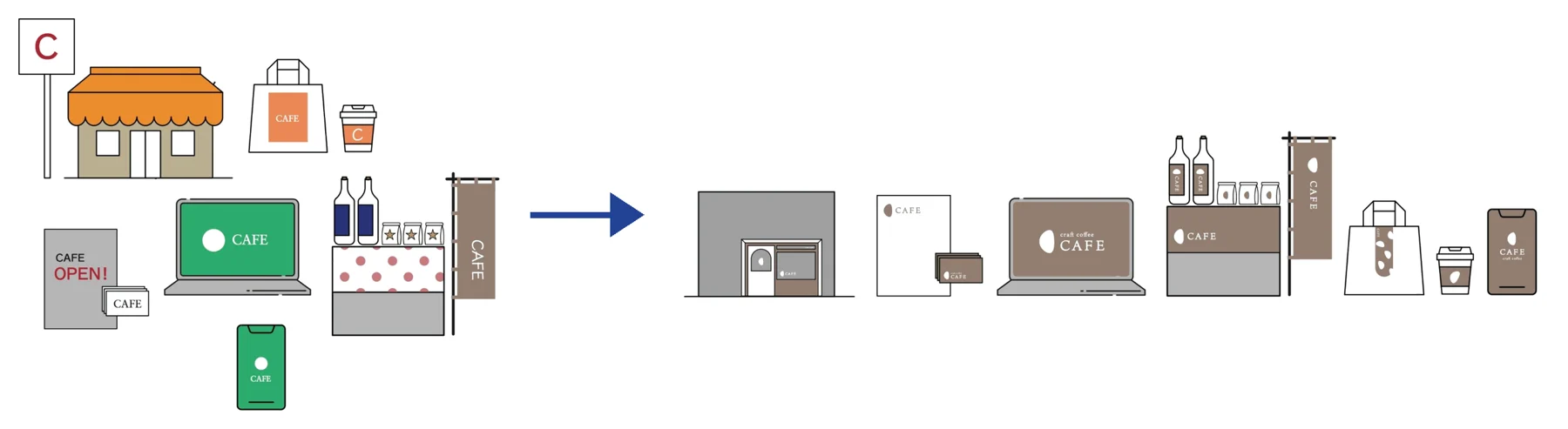
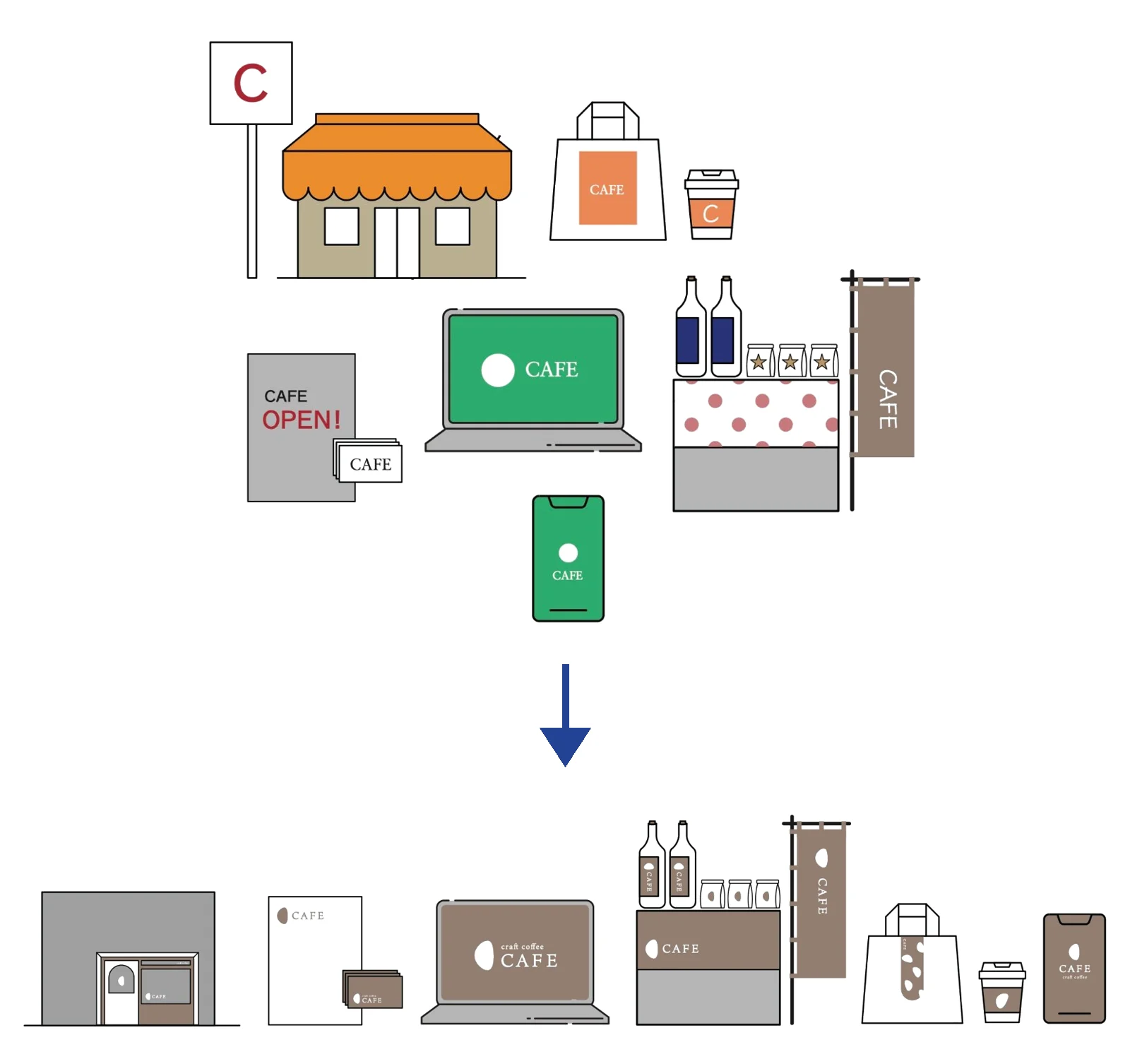
A cafe's sign, bags, flyers, website and shopfront with mismatched fonts and colours, changing into a consistent brandA cafe's sign, bags, flyers, website and shopfront with mismatched fonts and colours, changing into a consistent brand
From mismatched fonts and colours to one consistent brand.

When fonts and colours differ across the sign, bags, flyers, website and shopfront, each person takes away a different impression. When they are consistent, people recognise the same shop wherever they see it.

Giving people the same impression at every touchpoint, from your sign and menu to your website and social media posts, is one of the goals of branding. To keep the trust of people who follow you because they like your style, it is worth paying attention to fonts too.

09 ・ FAQ

Frequently asked questions

Q. Can I use an English font for Japanese text?

Usually not well. Most English fonts contain no Japanese characters, so your computer fills them in with another font. The weight can change mid-sentence and kanji may appear in Chinese forms. Choose a Japanese font for Japanese text.

Q. Which free Japanese fonts are good for websites?

Google Fonts such as Noto Sans JP, Zen Kaku Gothic New, Zen Old Mincho and Shippori Mincho are free to use on websites. Morisawa's BIZ UD fonts are also free on Google Fonts.

Q. Can I trademark a logo made with Canva or Adobe fonts?

Canva says logos made only with its fonts and simple lines and shapes can be trademarked, but not logos using its graphics or photos. Adobe allows logo use, but the typeface itself does not become yours. Check the licence of the font you use, and ask a trademark attorney for the legal side.

10 ・ SUMMARY

Start by choosing a Japanese font.

These are the Japanese fonts a Japanese graphic designer actually uses, and what to keep in mind when you add Japanese to your designs. Next time, I want to look at the Japanese text you often see overseas that feels slightly off to Japanese eyes.

If you would like help choosing Japanese fonts for your logo or menu, or setting brand fonts properly, feel free to get in touch. The first consultation is free.

SOURCES
KEEP READING Picked your fonts? Next, print and menus.
FREE CONSULTATION Need help with Japanese fonts for your brand?

Logos, menus, signage and websites, in English or Japanese. A photo or a link is a fine place to start.

Get in touch →
NEXT What is a print-ready file? Bleed, CMYK and 300dpi in plain English

Outlining and embedding fonts, explained simply

Read →

Send me an email or DM about your business and ideas or for fun collaboration.

フォームやメール、LINEからお気軽にご相談ください。

オーストラリアで活動されている様々な分野の方からのメッセージやコラボレーションの企画もウェルカムです!