HOME — JOURNAL — AI DESIGN
TIPS 2026.10.16 ・ Design ・ AI

Why does “AI-looking” design
put people off?

Unreadable text, misspellings, far too much sparkle. Design made with image-generating AI often has an “AI look” that people notice straight away. In this article I made 10 fictional flyers, logos and other pieces with AI on purpose, and used them to show what gives AI design away and what you can do to protect your customers’ trust in your business.

Why does “AI-looking” design put people off? Tenth Of October
AI Design Flyer Logo Branding
01 ・ WHY

Why “AI-looking” design puts people off.

Thanks to image-generating AI, anyone can now make a flyer or a logo in seconds. At the same time, I see more and more designs around town and on social media where you can tell at a glance: “That was made with AI.”

And AI-looking design doesn’t seem to leave a very good impression. In research published in 2024, the market research company NIQ reported that people who saw AI-generated ads tended to find them “annoying”, “boring” and “confusing”. It also found that even high-quality AI ads were less memorable than traditional ads, and could even drag down how people see the brand itself.

Another study, by a research team including Washington State University, found that simply including the term “AI” in a product description lowered consumers’ emotional trust and made them less likely to want to buy. That research was about product descriptions rather than design, but the same point seems to apply: an “AI feel” affects how much customers trust you.

Sources: NIQ (2024), consumer attitudes towards AI-generated ads / Washington State University (2024), published in the Journal of Hospitality Marketing & Management

Your flyers and logo are the face of your business, often the very first thing a customer sees. It is such a shame if that first impression makes people wonder, “Did they just not bother?” or “Is this even a real shop?”

The 10 examples in this article are fictional designs that I deliberately made with image-generating AI to explain these points. All business names, addresses and events are made up and have nothing to do with any real business or organisation.
02 ・ EXAMPLES

10 fictional designs made with AI.

Let’s look at where the “AI look” shows up in each one.

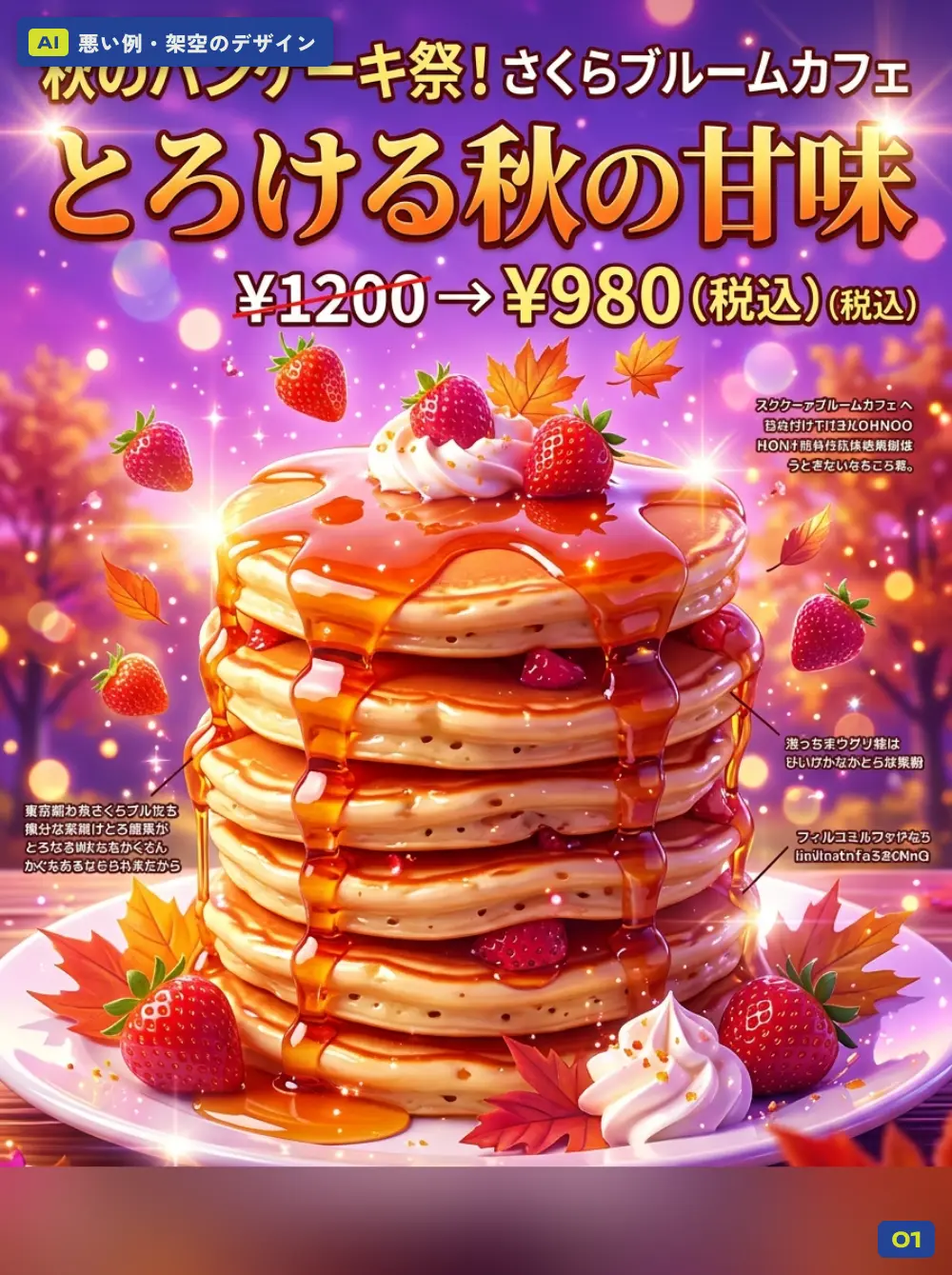
A bad example made with AI (fictional): flyer for a café’s autumn menu
EXAMPLE 01

FlyerA café’s limited autumn menu

What gives it away
  • The small description text has turned into characters nobody can read
  • The same words are repeated: “(tax incl.) (tax incl.)”
  • Strawberries, maple leaves, sparkles, glossy syrup. With everything piled on, the message gets lost
  • The café is called “Sakura” (cherry blossom), but the theme is autumn. The name and the content don’t match
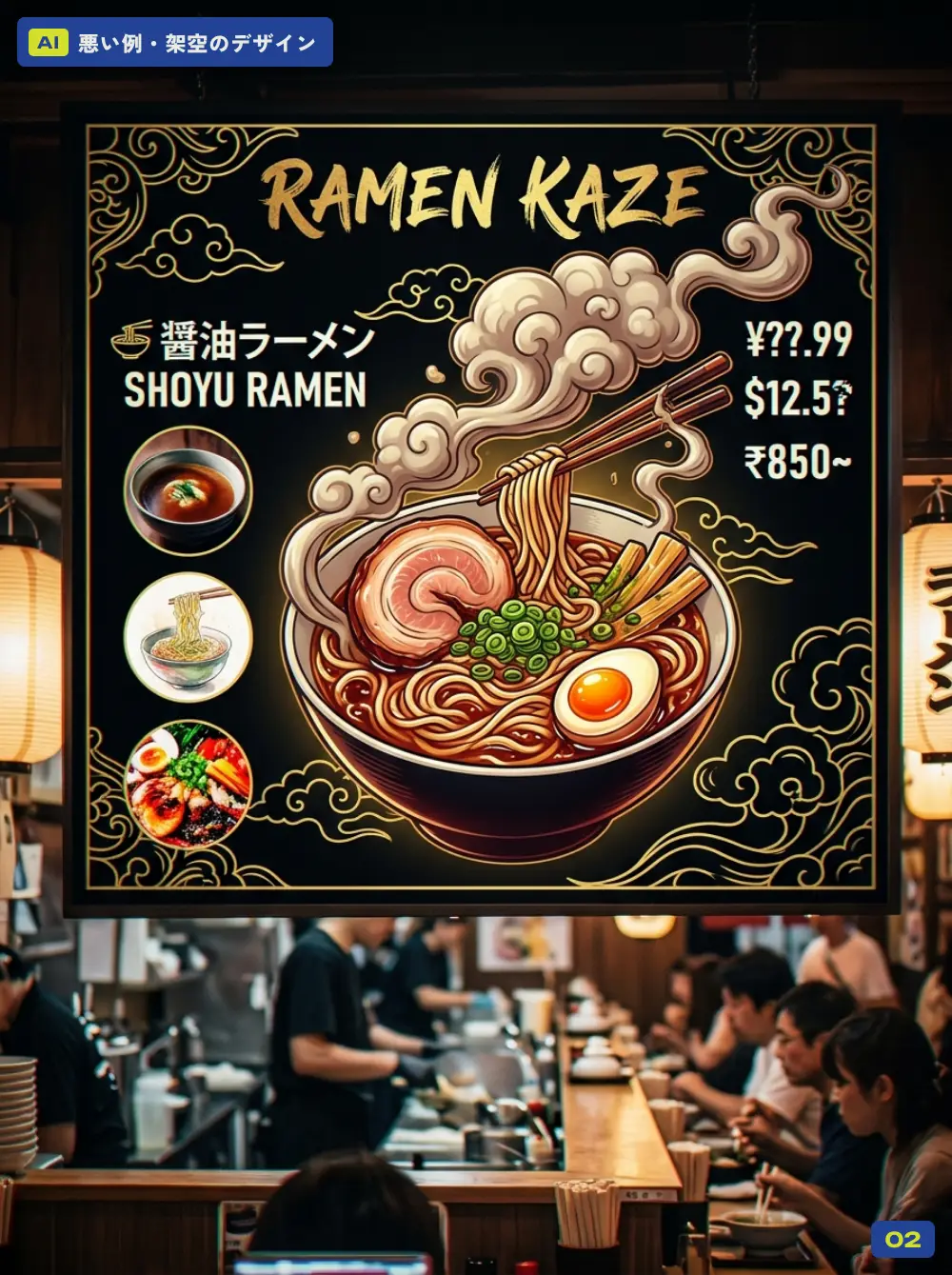
A bad example made with AI (fictional): menu board for a ramen shop
EXAMPLE 02

MenuA ramen shop’s menu board

What gives it away
  • Prices like “¥??.99” and “$12.5?”, with mixed currencies and broken numbers
  • The photos don’t match the dish names
  • Decorations like the gold cloud pattern take centre stage, so the dish names and prices, the things that actually matter, are hard to read
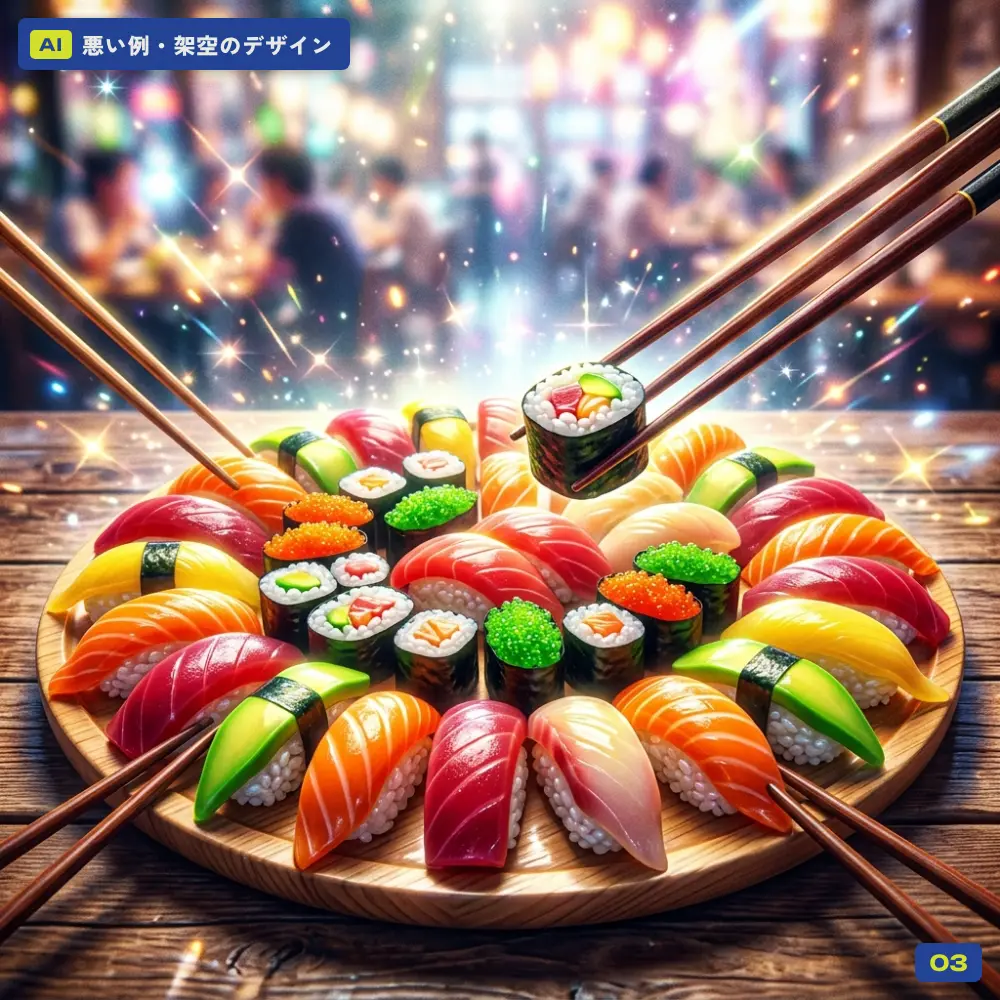
A bad example made with AI (fictional): food photo of a sushi platter
EXAMPLE 03

Food photoA sushi platter

What gives it away
  • Several pairs of chopsticks are stuck in from every direction
  • The fish looks as shiny as plastic, and the rice is an unnatural shape
  • The sparkles and background blur are far too strong
  • Most importantly, it doesn’t look like the food you would actually be served. That lets your customers down
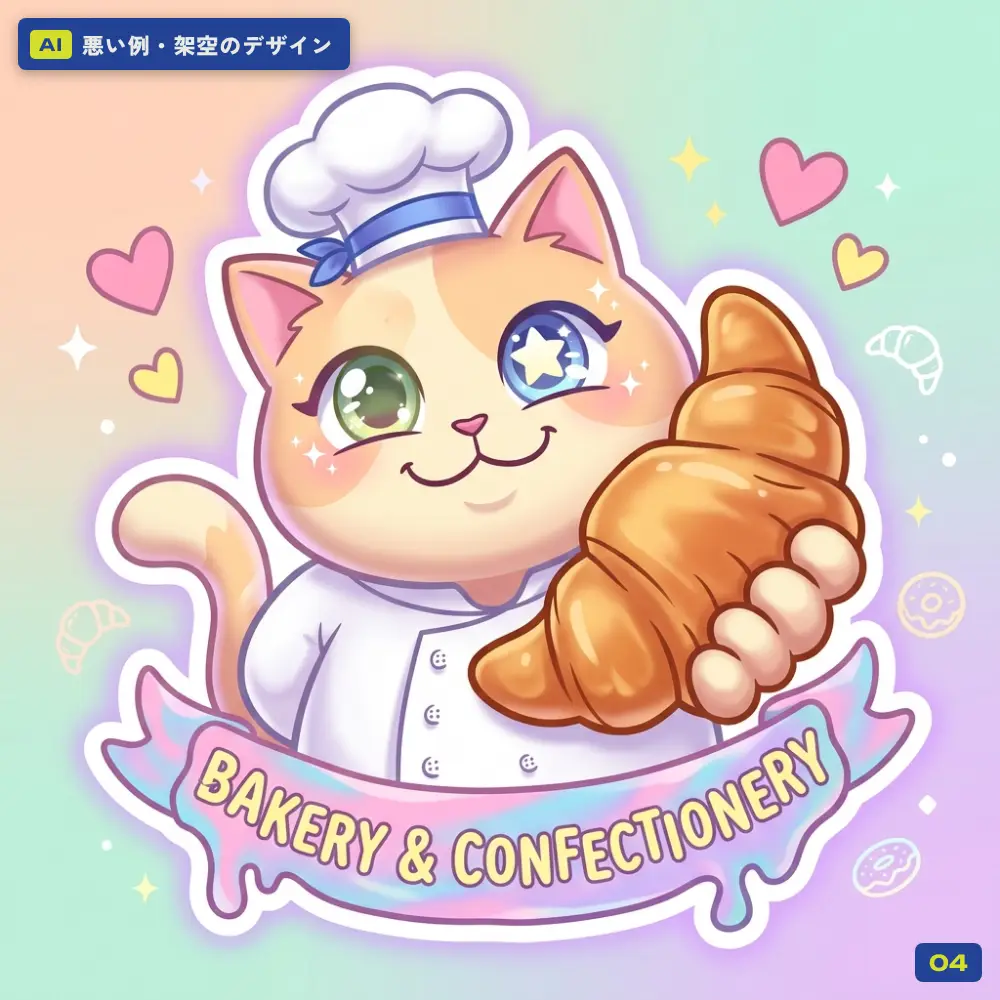
A bad example made with AI (fictional): character illustration for a bakery
EXAMPLE 04

IllustrationA bakery’s character

What gives it away
  • The left and right eyes are different colours and shapes
  • The hand holding the bread is misshapen
  • Pastel gradients, hearts, sparkles. It feels like something you have seen before, with nothing that says “this bakery”
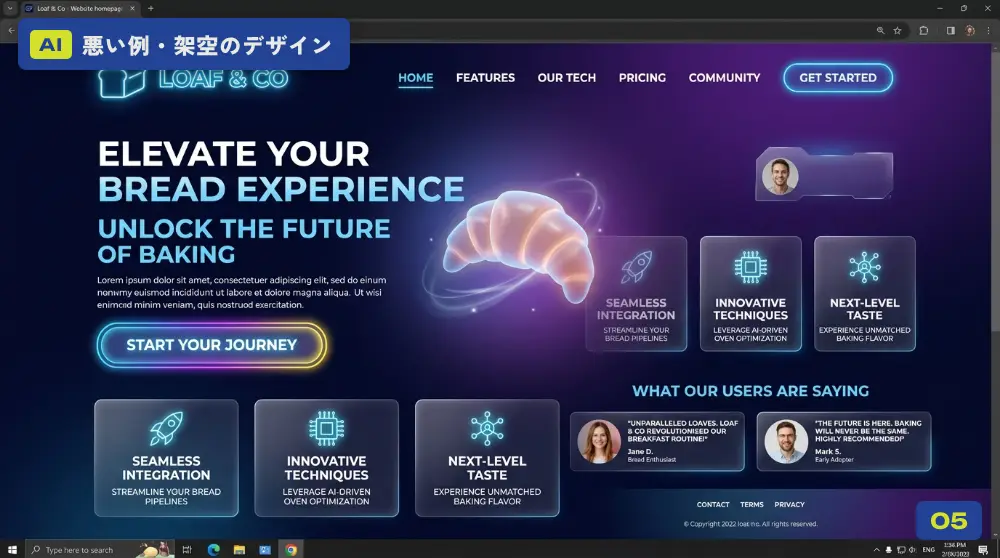
A bad example made with AI (fictional): website for a bakery
EXAMPLE 05

WebsiteA bakery’s homepage

What gives it away
  • “Elevate Your Bread Experience”, “Unlock the future of baking”. Slick-sounding copy with nothing behind it
  • Purple neon and glassy cards. It’s a bakery, but it looks like a tech company
  • Placeholder text and “customer reviews” that may or may not be real
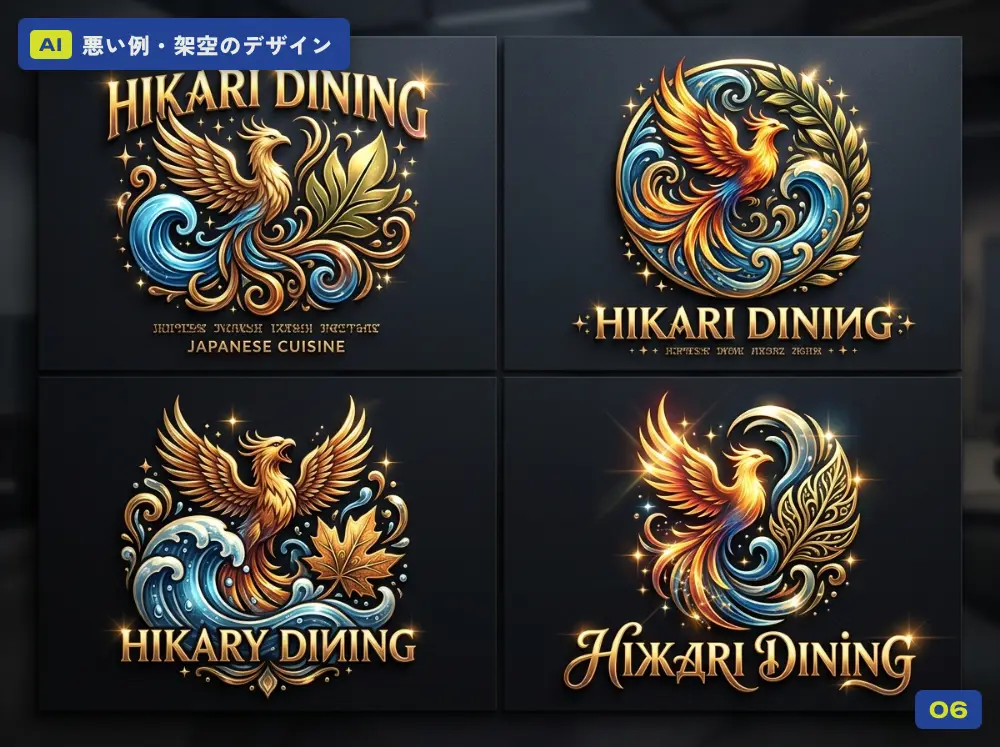
A bad example made with AI (fictional): logo ideas for a restaurant
EXAMPLE 06

LogoLogo ideas for a restaurant

What gives it away
  • It’s one restaurant, yet the name is spelt both “HIKARI” and “HIKARY”
  • A phoenix, waves and a gold gradient: too many elements crammed in
  • So detailed that it clogs up when made small. Hard to use on business cards, stamps or signage
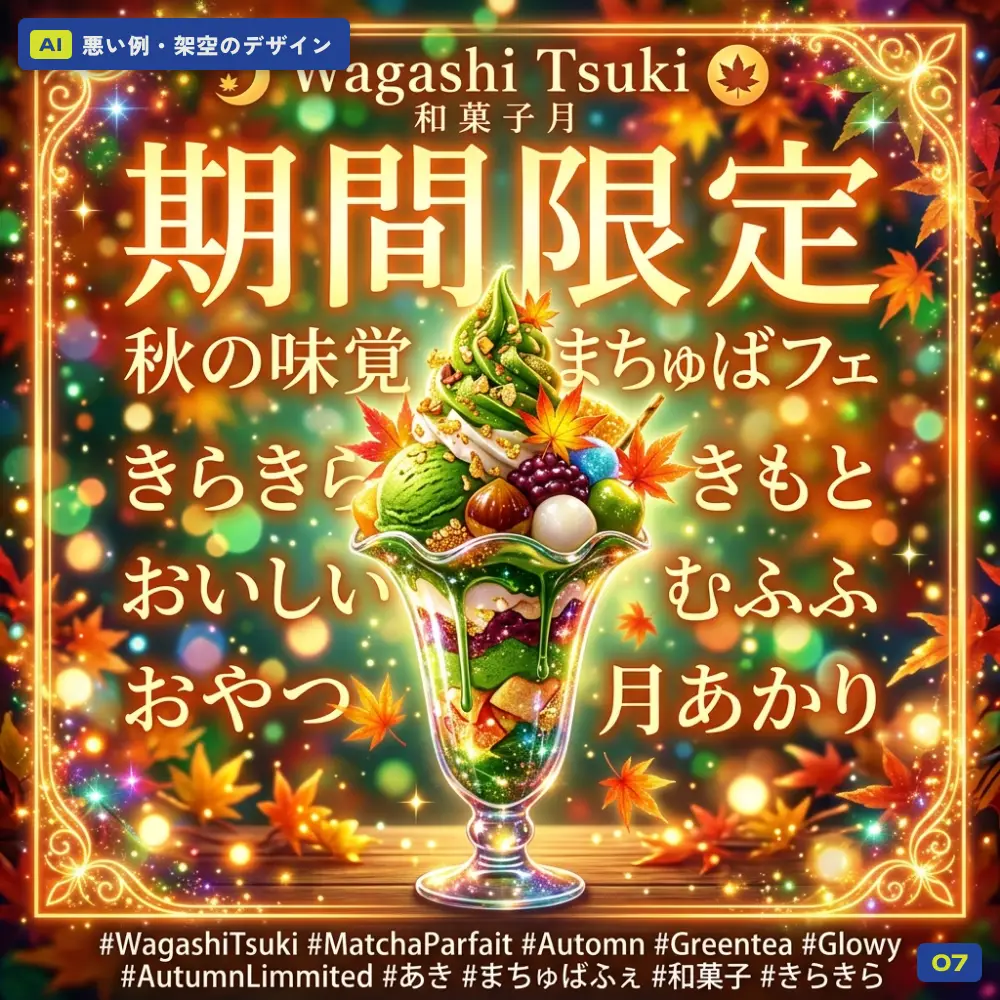
A bad example made with AI (fictional): social media post for a Japanese sweets shop’s limited offer
EXAMPLE 07

Social media postA Japanese sweets shop’s limited-time offer

What gives it away
  • A row of meaningless Japanese words, like “kirakira”, “kimoto” and “mufufu”
  • Typos in the hashtags (#Automn, #AutumnLimmited and so on)
  • You can’t really tell what is inside the parfait
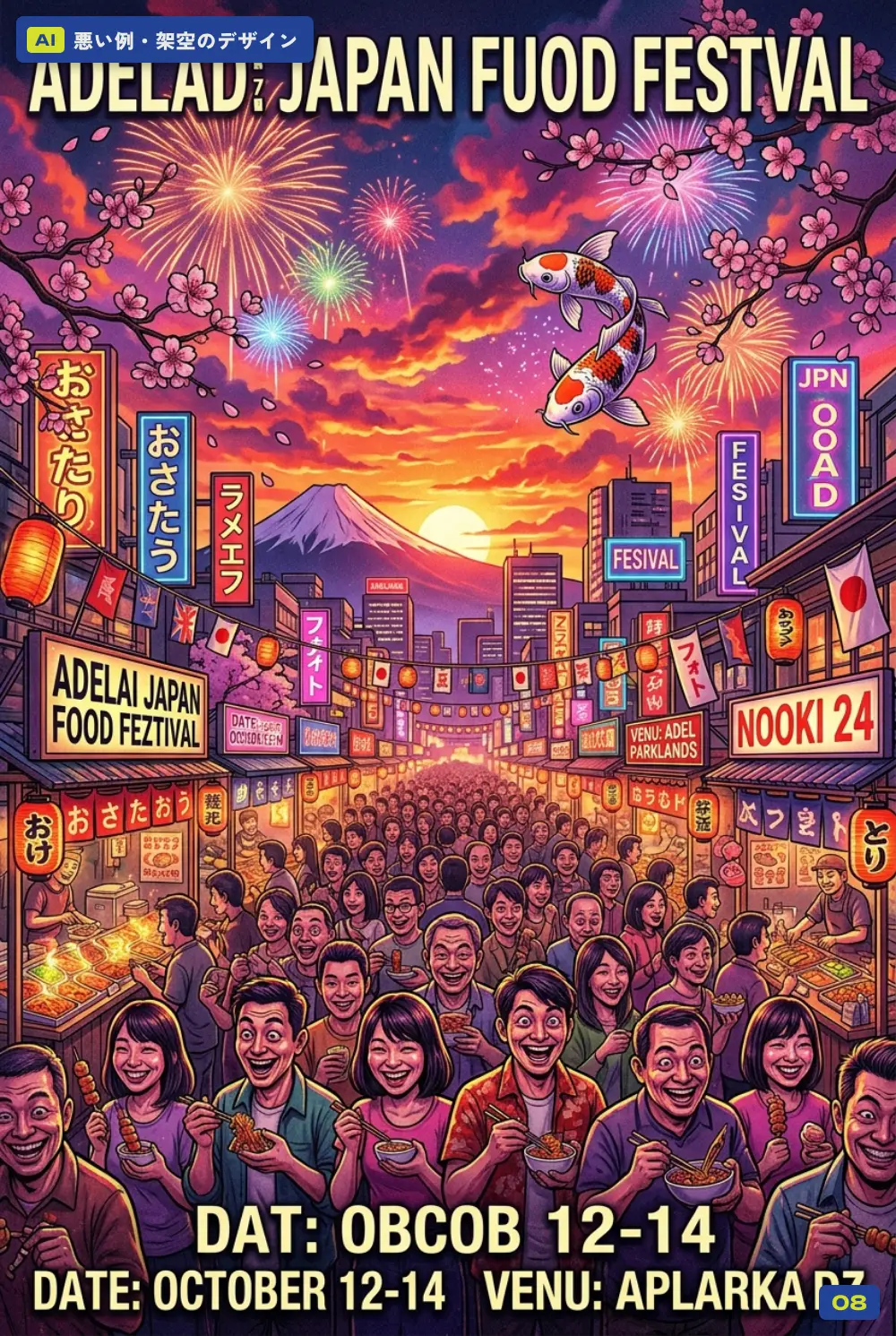
A bad example made with AI (fictional): event poster for a Japanese food festival
EXAMPLE 08

Event posterA Japanese food festival

What gives it away
  • The title reads “ADELAD JAPAN FUOD FESTVAL” and the date says “OBCOB 12-14”. On a poster, a wrong event name and date is fatal
  • Everyone’s faces look the same
  • Mt Fuji, koi, fireworks, lanterns. A pile of “Japanese” symbols, and a streetscape that looks like Tokyo even though the event is in Adelaide
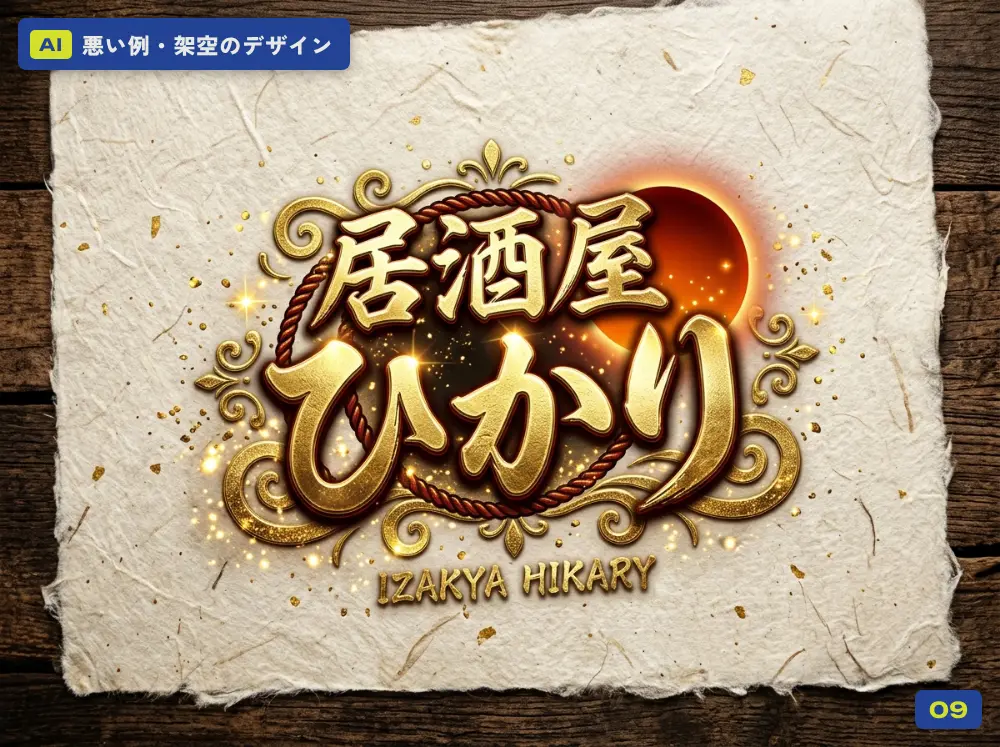
A bad example made with AI (fictional): Japanese-script logo for an izakaya
EXAMPLE 09

Japanese-script logoAn izakaya’s logo

What gives it away
  • Shiny, gold, 3D lettering
  • The English is misspelt as “IZAKYA HIKARY”
  • Washi paper, a red sun, rope. A grab bag of Japanese-style symbols
  • Gradients and gloss can’t be reproduced in one-colour printing, on signage or as a stamp
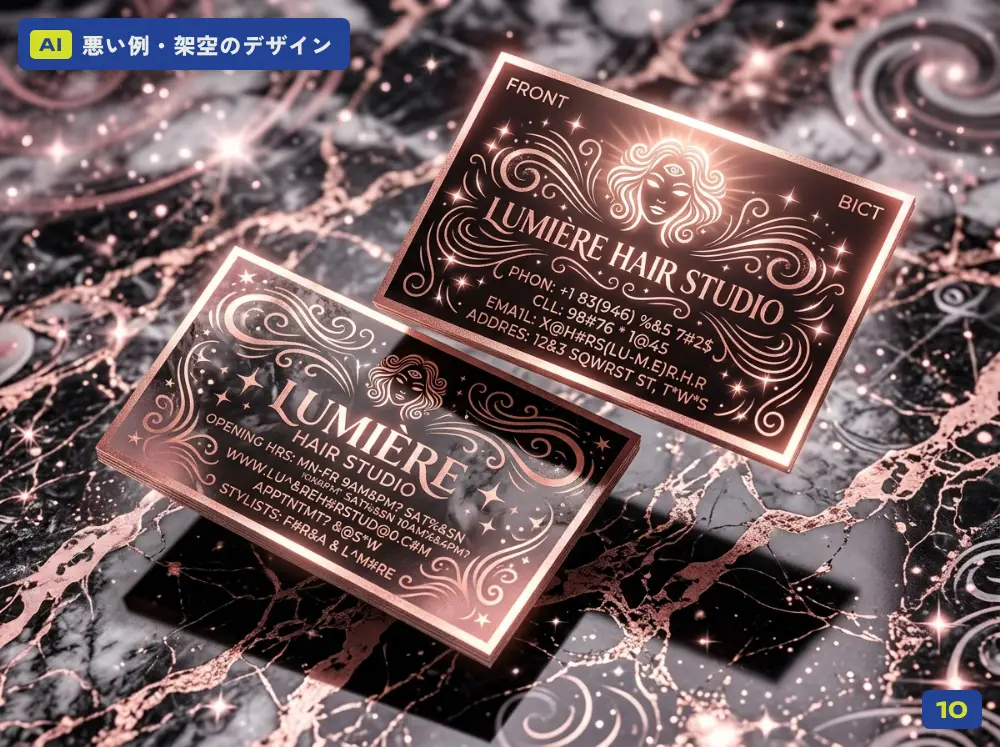
A bad example made with AI (fictional): business card for a hair salon
EXAMPLE 10

Business cardA hair salon’s business card

What gives it away
  • The address and phone number are unreadable. A business card with contact details nobody can read isn’t doing its job
  • The face in the illustration is distorted
  • Rose gold and marble, the go-to “luxury” look, with none of the salon’s own personality
03 ・ CHECK

7 checks for spotting the AI look.

Put the 10 examples side by side and the same tell-tale signs keep showing up. You can use these checks on a flyer you made yourself, or on design work you have outsourced.

01 Unreadable text and meaningless words

Has the small print or the text on a sign turned into something that only looks like writing?

02 Spelling and number mistakes

Business name, dates, prices, phone number. The more important the information, the more it needs reading out loud to check.

03 Overdone

Sparkles, gradients, gloss, all at once. Your actual message ends up buried.

04 A look you’ve seen before

A template-like “close enough” feel wipes out your business’s personality.

05 Symbols that have nothing to do with you

A collection of “Japanese-looking” or “luxury-looking” symbols that says nothing about your business or where it is.

06 Distorted hands, eyes and faces

Count the fingers, compare the eyes, look at the faces. Small details are where things tend to feel off.

07 Photos that don’t match reality

If your food or product photos don’t look like the real thing, the customers who come in will be disappointed.

+ Does it work where you’ll use it?

Is it still readable when small? Can it be printed in one colour? Will it work on signage and business cards too?

04 ・ HOW I USE AI

How I use AI.

Just so there’s no misunderstanding: I use AI a lot, and I find it really useful. As a tool for working more efficiently, it is genuinely great.

TASK Managing tasks from my inbox

Sorting out to-dos and deadlines from the emails I receive.

ADMIN Creating and managing invoices

Preparing and keeping track of invoices, quotes and other admin paperwork.

CHECK Proofreading and typo checks

Checking the text in articles and designs before they are published or printed.

PRINT Final checks on print-ready files

Files are checked by both human eyes and AI before they go to the printer.

LAYOUT Flowing text into layouts

For filling set layouts, like menus and catalogues, with text.

MORE Other admin work

Wherever I can, I hand repetitive tasks and checking over to AI.

By handing these jobs to AI, I try to keep my time free for the creative part of the work: listening to my clients, thinking things through, and making the design with my own hands.

I don’t see AI as something that takes designers’ jobs away. I see it as a tool that gives designers more time for the work that really matters. But if you hand over the whole design that will become the face of your business, you tend to end up with something like the 10 examples here: familiar, and somehow not quite trustworthy.

05 ・ FOR YOU

Made something with AI? I can tidy it up.

“I’m using a logo I made with AI, but it never prints properly.” “I tried making my own flyer, but it looks a bit AI.” If that sounds familiar, please get in touch. I can work with what you already have, retyping the text, turning your logo into vector artwork and preparing proper print-ready files.

I share more of the problems design can solve in this article.

06 ・ FAQ

Frequently asked questions

Q. Is all design made with AI bad?

Not at all. AI is a very handy tool for working more efficiently. The problem usually comes when what the AI produces is used as the face of a business without being checked or fixed first.

Q. How can I check whether a flyer I made myself looks AI-generated?

Start by reading every word out loud. Look for unreadable text and for mistakes in your business name or dates. Then check the small details, like hands and eyes, and make sure the photos match the real thing. The checklist in this article can help too.

Q. Can I ask you just to fix a design I made with AI?

Yes, please get in touch. I can work with what you already have: retyping the text, turning the logo into vector artwork and preparing print-ready files.

Q. Does Tenth Of October use AI for design?

I use AI for admin and checking work, such as task management, invoices and quotes, proofreading, and final checks on print-ready files. The design itself I think through and create myself, based on what my clients tell me.

KEEP READING Before you turn to AI: your brand’s core, and the work of human hands.
FREE CONSULTATION Made a flyer or logo with AI that doesn’t feel quite right? Let’s fix it together.

Tell us about your business, in English or Japanese. A link or a few photos is a fine place to start. No pressure.

Get in touch →
NEXT Can I really ask a designer to help with that?

9 everyday problems design can solve

Read →

Send me an email or DM about your business and ideas or for fun collaboration.

フォームやメール、LINEからお気軽にご相談ください。

オーストラリアで活動されている様々な分野の方からのメッセージやコラボレーションの企画もウェルカムです!